Google Feud
Guess how Google autocompletes a search.
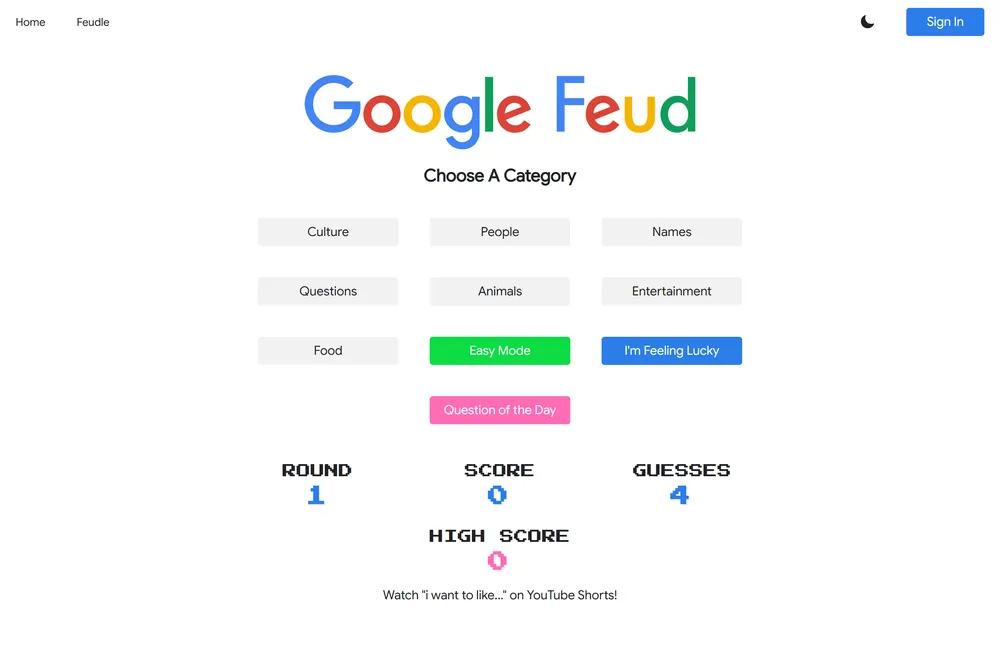
Google Feud turns Google's autocomplete into a guessing game: you see the start of a real search phrase and try to name the most popular ways people finish it. Inspired by the TV show Family Feud, it rewards thinking like the crowd rather than the smartest answer in the room. The completions come from actual search behavior, so the fun is in predicting what strangers really type. There is even a Question of the Day if you want a single fresh board to tackle.
What is Google Feud?
Google Feud is a browser game built on a simple twist: instead of guessing a hidden word, you guess what the rest of the world types into Google. You are shown the opening of a real search phrase, and your job is to name the autocomplete completions that rank highest for it. The game is framed as a parody of the television show Family Feud, swapping the survey board for Google's search suggestions, and it is not affiliated with Google.
A single round works like this: you pick a category, a partial query appears on the board, and a set of hidden answer slots wait to be filled. Each slot corresponds to one of the most common ways that phrase gets completed. You type a guess, and if it matches one of the hidden completions, that slot opens and you score points scaled to how popular that completion is, with the most-searched answers worth the most. Wrong guesses count against your limited number of attempts, and the round ends once you run out. Because the answers come from aggregated search behavior, the right move is rarely the cleverest one. It is whatever the largest number of strangers happened to type.
That sourcing is what separates Google Feud from Wordle-style logic puzzles. There is no fixed solution to deduce and no color-coded letter feedback. Instead you are doing crowd psychology, trying to predict the messy, funny, sometimes uncomfortable things people actually search. To keep play fast and consistent, the game does not query Google live for every session. It draws from a curated internal database of autocomplete results that the developers refresh to track changing trends, so two players see comparable boards rather than wildly different live data. Categories cover a lot of ground: Animals, Culture, Entertainment, Food, Names, People, and Questions, each pulling from a different slice of search behavior, plus an Easy Mode and an I'm Feeling Lucky option for a varied board.
Google Feud was created in 2013 by American developer Justin Hook, who has also written for the animated series Bob's Burgers. It spread quickly after coverage from outlets like Time, and it later won a People's Voice Webby Award for Games in 2016. The vibe is light, comedic, and endlessly replayable: you can jump between categories as long as you like for short breaks or party-style group guessing. If you prefer a more focused, once-a-day ritual, the site also offers a Question of the Day, a single highlighted board to try alongside the open-ended category play. Either way, the appeal is the same surprise at what humanity collectively wants to know.
How to play Google Feud
- Open the game and choose a category such as Animals, Culture, Entertainment, Food, Names, People, or Questions, or pick Easy Mode or I'm Feeling Lucky for a varied board. You can also take the Question of the Day for a single fresh challenge.
- Read the partial search phrase shown at the top of the board, which represents the start of a real Google query.
- Picture how most people would finish that phrase, then type your guess for one of the top autocomplete completions and submit it.
- If your guess matches a hidden answer, its slot fills in and you earn points based on how popular that completion ranks.
- If your guess is wrong, it counts against your limited guesses for the round (the site shows a guesses counter), so weigh each try before submitting.
- Keep guessing until you reveal the answers or use up your guesses, then start a new round to chase a higher total score.
Tips and strategy
- Guess like the average searcher, not an expert, because the highest-ranked completions tend to be broad, plain, and a little obvious.
- Lead with the shortest plausible ending first, since one or two word completions often outrank longer, more specific phrasings.
- Remember the answers reflect real search habits, so practical, curious, or even slightly awkward completions frequently outscore polished ones.
- Use your safe, high-confidence guesses early to protect against running out of guesses before you have opened any slots.
- When stuck, vary the form of the phrase by trying a question word, a name, or a common comparison rather than repeating similar wording.
- Match your thinking to the category, since Culture, People, and Entertainment boards reward pop-culture instincts while Questions rewards everyday how and why searches.
Good to know
- Creator
- Justin Hook, released in 2013
- Based on
- The TV show Family Feud, using Google autocomplete
- Cost
- Free to play
- Platform
- Web browser
- Categories
- Animals, Culture, Entertainment, Food, Names, People, Questions, plus Easy Mode and I'm Feeling Lucky
- Daily option
- Question of the Day challenge
- Award
- People's Voice Webby Award for Games, 2016
Google Feud FAQ
Is Google Feud free?
Yes. Google Feud is a free, browser-based game with no purchase required to play any category.
Does Google Feud have a daily puzzle?
Yes. Alongside the open-ended category play, the site offers a Question of the Day, a single highlighted board you can take on each day. You are not limited to it, though: you can also keep picking categories and playing new rounds for as long as you want.
How does scoring work in Google Feud?
Each board hides several of the most common autocomplete completions for the phrase. Matching one fills its slot and awards points scaled to how popular that answer is, so the most-searched completions are worth the most.
Where do the answers come from?
They are based on Google search autocomplete suggestions. Rather than querying live for every session, the game uses a curated internal database of autocomplete results that is updated to reflect changing search trends.
Who created Google Feud?
It was created in 2013 by American developer Justin Hook, who has also written for the animated series Bob's Burgers. It is a parody and is not affiliated with Google.